Create a Data Classification Policy
This guide walks through creating a Data Classification policy in DynamoGuard. Before starting, confirm this is the right policy type for your use case by reviewing Data Classification Policies.
1. Select Policy Type
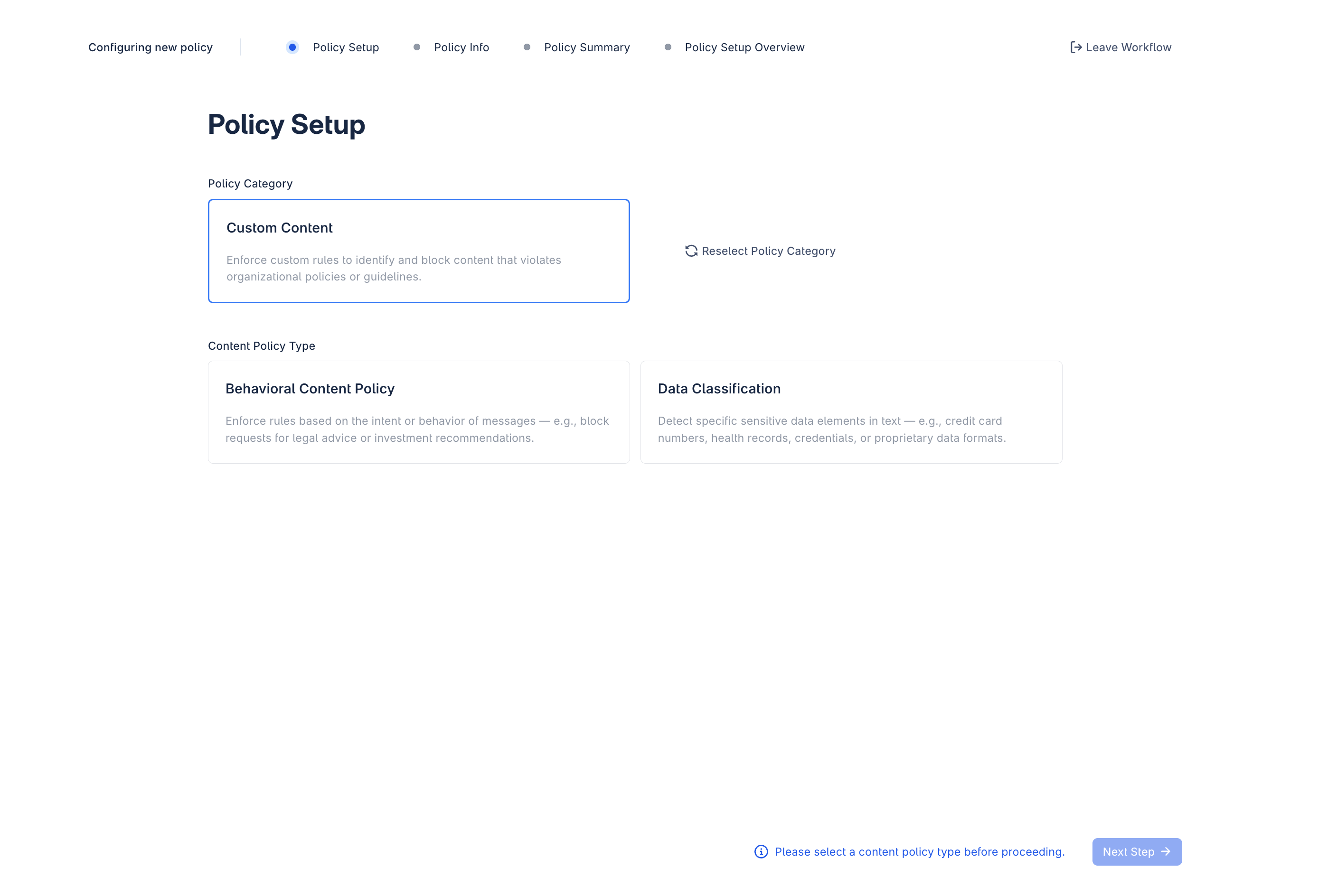
After selecting the Custom Content policy option, choose Data Classification as the policy type.
2. Select a Moderation Behavior
Choose the moderation behavior for your policy. Data Classification policies support two behaviors:
- Flag: Flag content for moderator review
- Block: Block user inputs containing sensitive data
3. Provide Policy Definition
Provide details to define the scope and boundaries of the policy. This information is used to train the guardrail model.
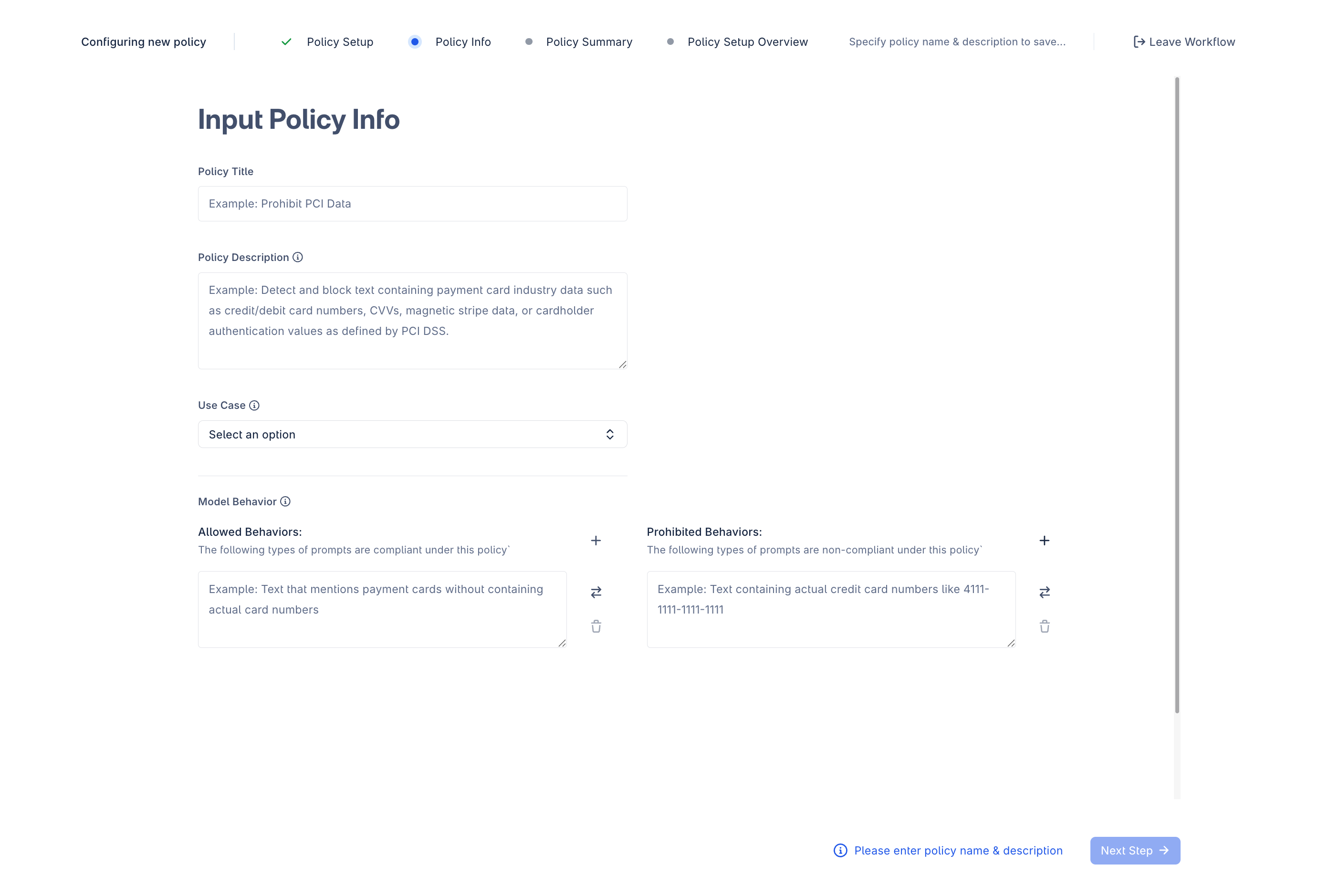
Policy Title and Description
Enter a clear, action-oriented title and a description that defines the specific data elements or structures that make content non-compliant. Name the actual data entities, and include acronyms alongside full names. If the data always appears in a specific format, include that too. Note any important scope boundaries, such as what should remain allowed despite being adjacent to the prohibited category.
Example description:
Prohibit credential information, which refers to any data used to authenticate a user, system, or session, including secrets that grant access to accounts, devices, or services. This includes: Passwords / Passphrases, One-Time Passcodes (OTP / MFA codes), Security Question Answers, API Keys, Access Tokens, Refresh Tokens, Private Cryptographic Keys, and Session Tokens / Authentication Cookies. Actual credential disclosure is strictly prohibited, but discussions about credential management and placeholder credentials are allowed. Publicly available API keys and credentials for testing purposes are permitted when clearly identified as such.
Use Case
Provide a brief description of the use case or domain the policy will be applied to. This grounds the policy in its real deployment context and helps reduce false positives on typical in-domain traffic.
Allowed Behaviors
Allowed behaviors should cover two categories:
1. Use-case behaviors — typical in-domain traffic that should never be blocked depending on the use case, such as:
- General productivity tasks: writing, summarizing, editing, translating
- Coding and debugging tasks
- Customer support flows
- Default allowance: all inputs permitted unless explicitly prohibited by this policy
2. Data-specific behaviors — references or discussion that mention the data type without disclosing actual values:
- Requests for help with generating, resetting, or troubleshooting credentials (e.g., "How do I reset my password?")
- Placeholder or synthetic credentials (e.g.,
password123,API_KEY=example) - Discussions or questions about credential types without disclosing real values (e.g., "What is a private key and how would I locate it in AWS Secrets Manager?")
- Strings that resemble credentials but lack any context indicating they are credentials (e.g., "9876545678998iuju7")
Prohibited Behaviors
List each sensitive data entity as a separate behavior with a realistic in-context example. Provide not just the raw value, but the value as it might appear in a real user message, such as:
- Passwords or passphrases, such as "My password is Summer2024!"
- One-time passcodes (OTP / MFA codes), such as "My login code is 839201"
- Security question answers, such as "My mother's maiden name is Smith"
- API keys, such as "Here is our ChatGPT API key: sk-abc123…"
- Access tokens, such as "Bearer token: eyJhbGciOiJIUzI1NiIs…"
- Private cryptographic keys, such as "-----BEGIN PRIVATE KEY----- MIIEvQIBADANBgkqhkiG9w0BAQEFAASC..."
- Session tokens or authentication cookies, such as "sessionid=eyJhbGciOiJIUzI1NiIsInR5cCI6IkpXVCJ9…"
Best Practices
- Define the content, not the risk theme. "Actual API keys and session tokens" is stronger than "sensitive authentication information."
- Make the violation boundary explicit. State what must be present in the text,not just what topic the text concerns.
- Include realistic hard negatives. Add requests, allusions, educational content, placeholders, and strings that resemble credentials but lack identifying context.
- Use realistic formatting in examples. Test with long contexts, code blocks, and values embedded mid-sentence.
- Keep scope narrow. Overly broad or abstract policies increase false positives quickly.
Note: Generate Behaviors is not available for Data Classification. You must enter Allowed and Prohibited Behaviors manually.
4. Example Review
After specifying the seed information above, DynamoGuard will generate a set of initial examples for review.
Example Review Orocess
- Mark compliance: Review the provided examples and classify them as compliant or non-compliant.
- Adjust policy definitions: If necessary, modify the policy definition to better align with your goals. Editing the definition will generate an updated set of examples for review.
Refining the Dataset
Once the initial set of datapoints has been reviewed, DynamoGuard will generate a larger training dataset based on the provided feedback. At this point, you can continue to update the policy by:
- Editing or changing the labels of existing datapoints
- Adding new datapoints manually
- Uploading new datapoints
- Removing datapoints
- Editing the policy definition
5. Policy Training
After the dataset has been finalized, the policy can be sent for training.
- Initiate training: Click the Train Policy button in the Training tab to begin. DynamoGuard will use the dataset to fine-tune a lightweight guardrail model tailored to your policy.
- Deploy the policy: Once training is complete, the policy will be ready for deployment.