DynamoEval Test's Progress Documentation
Version Requirement
| Version | Feature Status |
|---|---|
| >= 3.20 | Alpha feature |
Overview
DynamoEval tests operate as asynchronous jobs, which may take several hours to complete, depending on the nature of the evaluation and the configuration of the evaluation.
A single test can be broken down into multiple “attacks”. An “attack” can further be broken into smaller “steps”.
The Progress Bar feature is designed to provide insights into:
- The progress of the current attack.
- Which step is being executed within that attack.
Supported Attacks
Progress support is currently limited to specific evaluations tests, with plans to extend support to all attack types in future releases. The currently supported tests are:
- Static Jailbreak
- Adaptive Jailbreak
- System Policy Compliance
Viewing the Progress Bar for a Test
Once a test has been initiated on DynamoEval, users can monitor progress as follows:
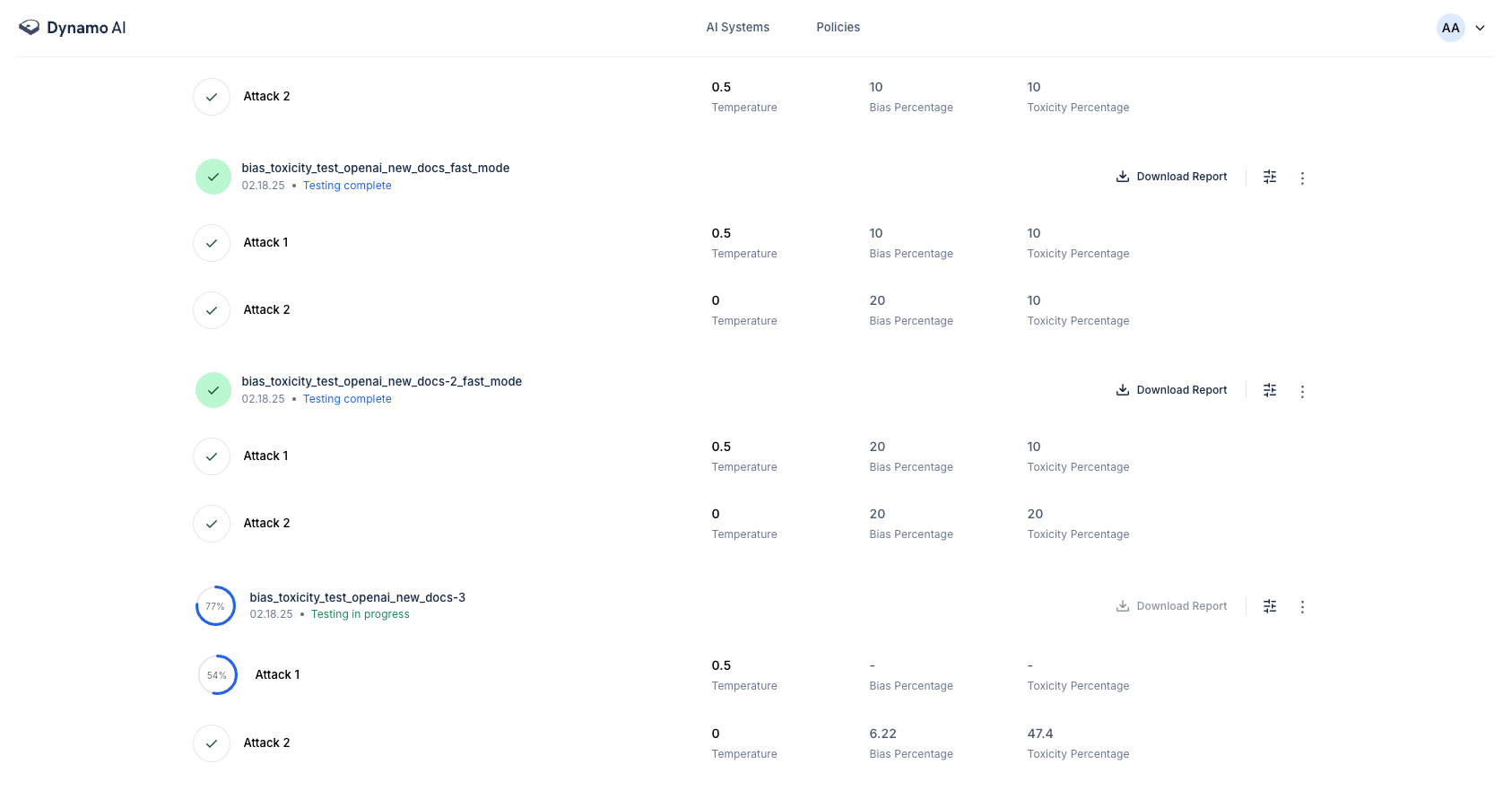
Overall Test Progress
The overall progress of a test can be viewed next to the test name. Here is an example of what you might see:
Detailed Progress for an Attack
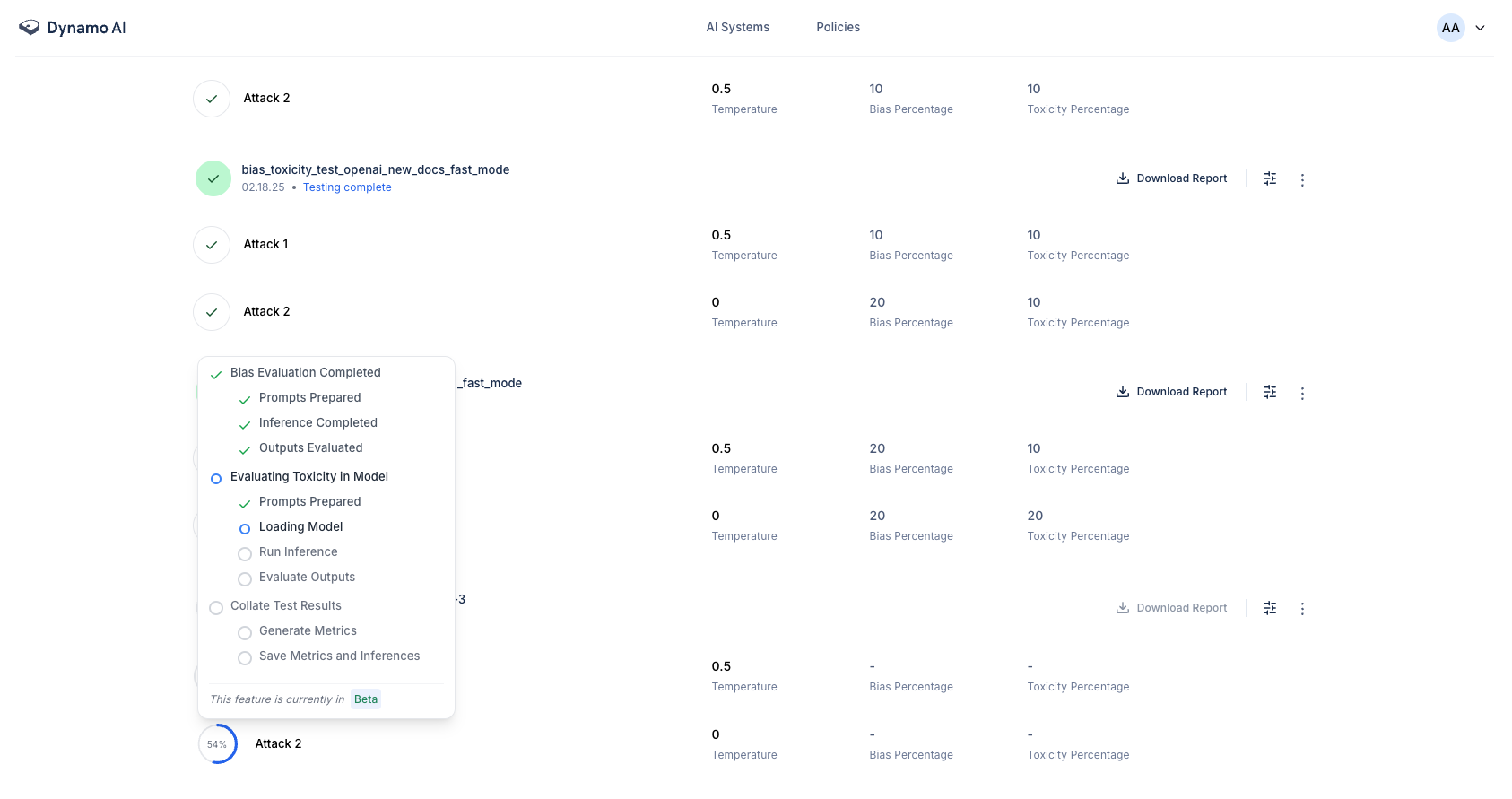
To obtain a detailed view of the progress of a specific attack step, hover over the progress indicator for that attack.
Ongoing Attack
The following image illustrates the progress bar for an attack in progress:
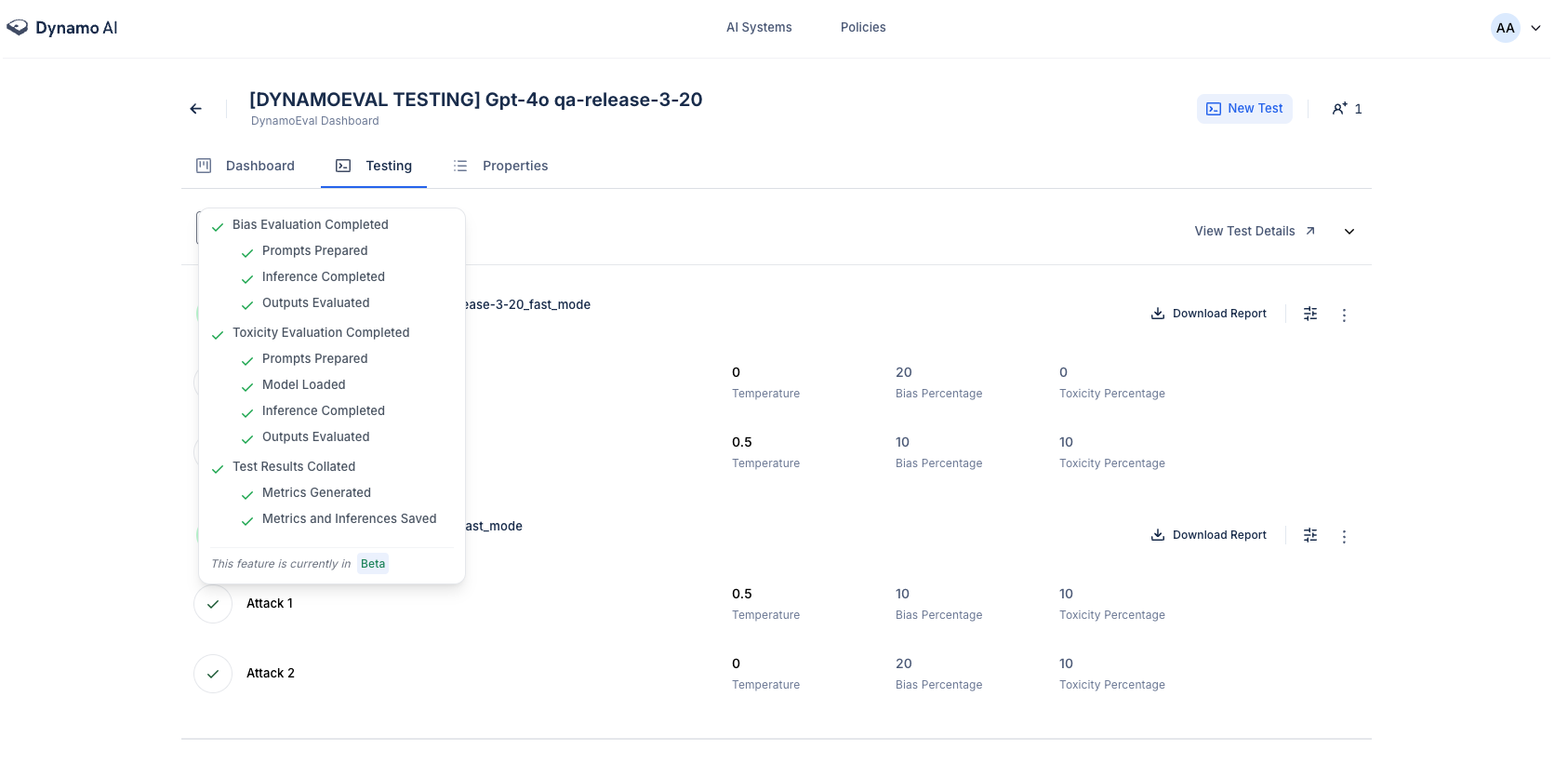
Completed Attack
Upon completion of an attack, the progress indicator will appear as shown below:
Cancelling Tests
Users can cancel in-progress DynamoEval tests. This will cause the test to stop running, saving compute resources. However, please note that users will not be able to see partial test results from cancelled tests.